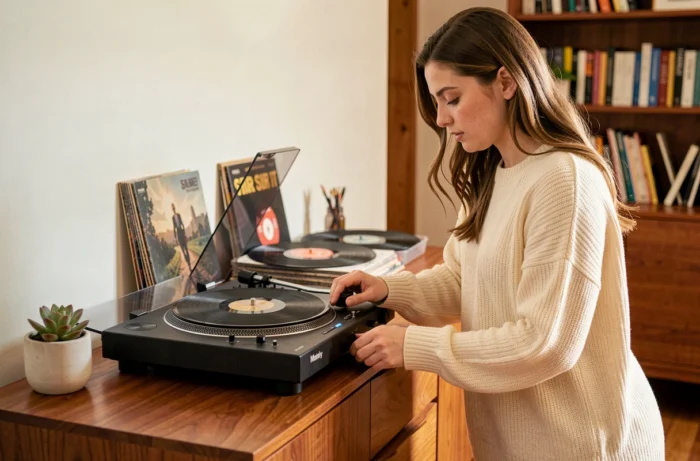
The Marley Stir It Up Wireless turntable (model EM-JT002) has a built-in Bluetooth transmitter that sends audio from a vinyl record to a wireless speaker or headphones. The pairing process is straightforward, but a few technical details are worth clarifying to help prevent the recurring connection failures users report on support forums.
Bluetooth transmitter or receiver: a common source of confusion with the Marley turntable
The Bluetooth module built into the Stir It Up Wireless works exclusively as a transmitter. In other words, the turntable sends audio from a vinyl record to an external device, such as a speaker or headphones. It cannot receive audio from a phone or tablet.
This distinction may seem minor, but it accounts for a significant share of the problems users report. Trying to pair a smartphone with the turntable to play music stored on the phone will not work. The Stir It Up’s Bluetooth connection works in one direction only: from the vinyl record to the speaker.
Before starting the pairing process, make sure the receiving device (Bluetooth speaker or wireless headphones) is in pairing mode and ready to receive an incoming signal. If you’re looking to connect the Marley Stir It Up turntable via Bluetooth, this initial step on the speaker’s end is essential to the rest of the process.
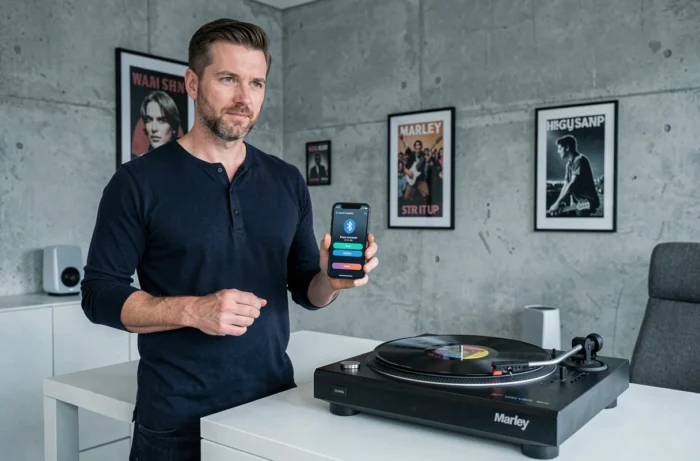
Pairing the Stir It Up Wireless via Bluetooth: step-by-step instructions
The turntable has no screen or dedicated app. Everything is controlled using the device’s physical buttons and an indicator light.
Prepare the speaker or headphones
First, put your speaker or headphones into pairing mode. For example, on a House of Marley Get Together speaker, press and hold the Bluetooth button until the indicator light flashes. The exact steps vary by brand, but the principle is the same: the device must be ready to connect.
Enable Bluetooth on the turntable
On the Stir It Up Wireless, the pairing button is usually on the back or on the control panel, depending on the model version. Press and hold it for a few seconds. A flashing indicator light confirms that the turntable is searching for a nearby device.
Once the two devices detect each other, the light on the turntable stops flashing. The devices are now paired, and any vinyl record played on the turntable will stream to the wireless speaker.
- Make sure the turntable is plugged into its power adapter before attempting to pair, as Bluetooth will not work without power
- Move the speaker close to the turntable during initial pairing (ideally within two metres) to make it easier for the devices to detect each other
- If an old pairing is still stored in memory, the turntable may try to reconnect to a previously paired device instead of the new one, preventing the process from completing
Bluetooth connection problems with a Marley turntable: causes and solutions
Pairing failures are not always caused by the turntable. Several external factors can make it harder to connect.
Different model versions and controls
House of Marley sells several versions of the Stir It Up: the original Wireless (EM-JT002), the Stir It Up Lux and the Stir It Up Wireless 2. The physical controls and Bluetooth button location vary between versions. Check the exact model number printed underneath the turntable to find the right manual and avoid searching for a button that your model does not have.
Interference and distance
The turntable’s Bluetooth operates on the standard frequency band. A Wi-Fi router, microwave or several active Bluetooth devices in the same room can interfere with the signal. Moving the turntable away from these sources of interference can improve connection stability.
Reset the pairing
If the connection fails after several attempts, the most reliable approach is to reset Bluetooth on both devices. On the speaker, remove the turntable from the list of saved devices. On the turntable, switch it off completely, unplug it for a few seconds, then restart the pairing process from the beginning.
- Turn off Bluetooth on your phone while pairing to prevent it from “stealing” the speaker’s connection
- Some speakers only allow one active pairing at a time: disconnect any other device before trying to connect the turntable
- A light that flashes rapidly and then turns off may indicate a power issue rather than a Bluetooth pairing failure
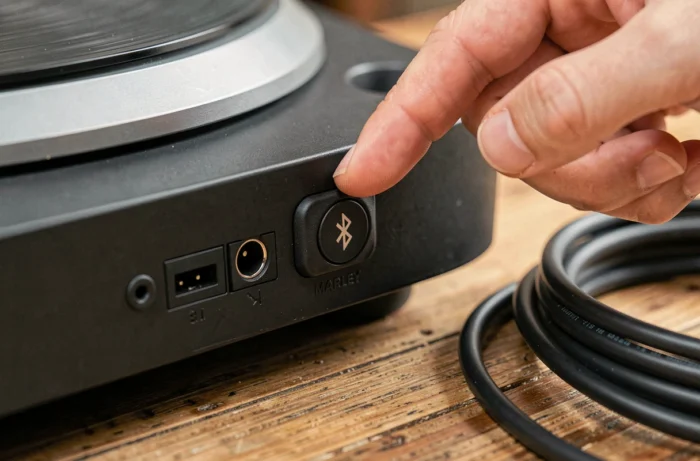
Wired alternative when Bluetooth causes problems
Wireless is not the Stir It Up Wireless’s only option. The turntable also has analogue outputs for a wired connection to a powered speaker or external amplifier. This option avoids all pairing, interference and latency issues.
Before buying a cable or adapter, check the type of output on your model (RCA or mini-jack) and the inputs available on your speaker. The official Stir It Up Lux bundle with the Get Together 2 speaker, offered by House of Marley, works both via Bluetooth and with a wired connection, confirming that the brand itself supports both ways of listening.
A wired connection offers an additional benefit for audiophiles: it avoids the compression inherent in Bluetooth transmission, preserving more of the vinyl’s analogue signal.
The choice between Bluetooth and a cable depends primarily on how you plan to use the turntable. For listening around the room, wireless is convenient once pairing is complete. For a fixed setup where the turntable and speaker stay in place, a wired connection eliminates a potential source of dropouts and makes everyday setup easier.