
A payment terminal is connected to the Wi-Fi network of a warehouse, and the connection drops to such a low speed that each transaction takes several seconds to validate. The culprit is neither the router nor the cabling, but an access point that still negotiates in 802.11b with a handful of old devices. This is exactly the type of situation that forces one to understand what legacy Wi-Fi encompasses, and why it persists in so many infrastructures.
Coexistence of legacy Wi-Fi and recent equipment on the same network
Legacy Wi-Fi does not refer to a single protocol. This term encompasses the 802.11a, 802.11b, and 802.11g standards, sometimes including 802.11n when it operates exclusively on the 2.4 GHz band with limited speeds. These standards, ratified between the late 1990s and the mid-2000s, remain active because devices still use them daily.
The concrete problem arises as soon as a single legacy device connects to a recent access point. The backward compatibility mechanism forces the router to slow down the entire network to maintain communication with the slowest client. This is referred to as a throttling effect that affects all devices connected to the same SSID, including those compatible with Wi-Fi 6 or Wi-Fi 7.
To better understand what legacy Wi-Fi is and how it works in a real context, one must observe the network’s behavior when generations of standards coexist on the same frequency band.

Industrial devices and business terminals stuck on old Wi-Fi standards
The use of legacy Wi-Fi is not just a matter of negligence or technological lag. In logistics warehouses, production workshops, or local businesses, there are business terminals whose firmware does not support recent standards. Barcode scanners, weighing machines, connected temperature sensors, and older generation network printers: these devices work, fulfill their roles, and their replacement is costly.
Migration to a recent standard requires verifying the compatibility of each device, planning production downtime, and sometimes replacing entire fleets. For an SME with a hundred terminals, the budget can quickly escalate. Therefore, legacy is maintained out of operational necessity, not nostalgia.
Typical cases where legacy remains in service
- Handheld scanners and portable scanners in large retail, connected to inventory management systems that do not accept network updates without software recertification
- Low-power IoT sensors in tertiary buildings, designed to emit on 2.4 GHz with minimal throughput, incompatible with Wi-Fi 6 negotiation protocols
- Shared network printers in medical offices or administrations, whose integrated Wi-Fi module dates back to the 802.11g standard and cannot be updated
Feedback varies on this point: some organizations manage to isolate these devices on a dedicated VLAN without issue, while others experience regular disconnections as network load increases.
Network segmentation and security of legacy Wi-Fi equipment
Maintaining legacy devices on a network poses a real security problem. The 802.11b and 802.11g standards only support WEP or first-generation WPA encryption, protocols whose vulnerabilities have been documented for years. A legacy device connected to the same SSID as recent workstations creates an exploitable attack surface.
The on-the-ground response is to segment. A separate SSID is created, associated with an isolated VLAN, reserved for legacy equipment. This secondary network has strict firewall rules that limit communications to the bare minimum (access to the business application server, nothing else). Recent access points manage this segmentation natively.
Radio audit and interference on the 2.4 GHz band
The 2.4 GHz band, the only frequency usable by most legacy devices, is also the most congested. In urban environments or office buildings, interference from neighboring networks degrades the connection of older equipment much more than that of recent devices capable of switching to the 5 GHz or 6 GHz bands.
A regular network audit allows for mapping radio coverage, identifying saturated channels, and repositioning legacy access points on the least congested channels (1, 6, or 11 on the 2.4 GHz band). Without this audit, user complaints accumulate without understanding the origin of the problem.
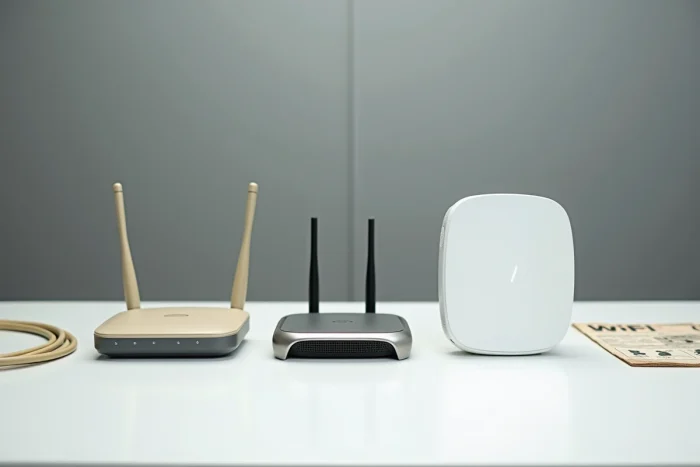
Progressive migration strategy away from legacy Wi-Fi
Replacing everything at once is neither realistic nor desirable. An effective migration begins with an accurate inventory: which devices still use legacy, on which exact standard, and what data flow passes through these connections.
Next, priorities are set. Equipment that handles sensitive data (payment terminals, workstations with access to the information system) is migrated first to a standard supporting WPA3. Low-throughput IoT sensors, which only exchange a few kilobytes per hour, can remain on a segmented legacy network without major risk.
- Disabling legacy speeds on main access points forces compatible clients to negotiate in at least 802.11n, which immediately improves the overall performance of the network
- Planning the replacement of legacy equipment during existing hardware renewal cycles reduces investment costs
- Documenting each remaining legacy device, with its standard, location, and criticality, facilitates budgetary decisions during the next network audit
The coexistence of old and new standards is not abnormal. What poses a problem is the lack of segmentation and the lack of visibility on connected devices. A well-segmented network tolerates legacy without compromising the performance of recent flows. The goal is not to migrate everything tomorrow, but to know precisely what is running, on which standard, and with what level of protection.